
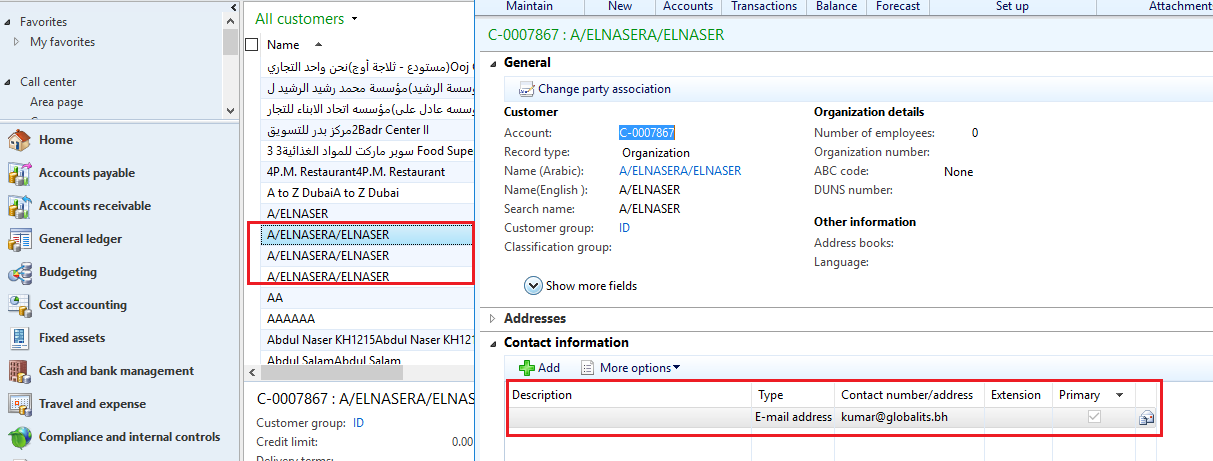
Customer should have common search criteria. Like email. So, for this I have added my email in these customers.

Use this procedure to search for and merge duplicate customer records.
1. Click Call center> Journals > Customer service.

2. In the Customer serviceform, in the filter, select the type of filter that you want to search on, enter the appropriate text, and then click Search. For example, you might select Email and then enter kumar@globalits.bh.

The Customer search form opens and list all of the customer records that contain the information that you filtered on.
3. Select the customer records that you want to merge, and then click Merge.

Note: You can select maximum two records at once.

Click apply merge.

Click OK.
Now you can view the customer C-0007877